Coaches · 3 min
Your coach dashboard
Find new analyses, flags, replies and upcoming sessions.
- 1
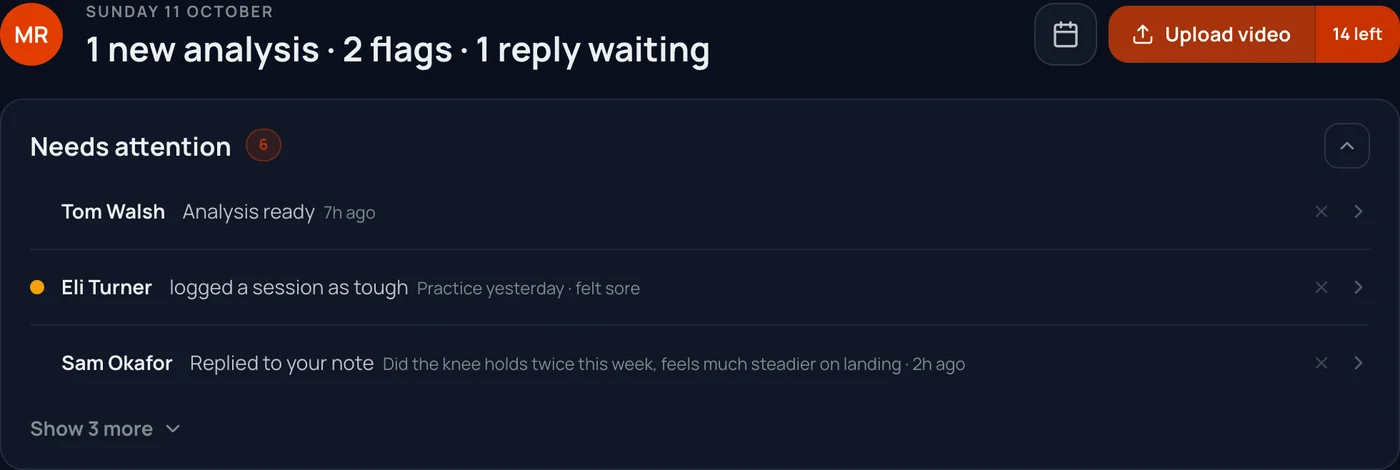
What changed, in one line
The top line counts what is new since you last looked: analyses, flags and replies.
- 2
Needs attention, most urgent first
- New analyses ready to look at
- A bowler who logged a tough or painful session
- A Pacelab Index that dipped
- Bowlers with nothing logged or uploaded for 14 days
- Failed uploads, and replies to your notes
- 3
Upload for any bowler
Tap Upload video, pick the bowler, and the clip lands on their timeline. The button shows how many analyses you have left.
- 4
Plan the squad's week
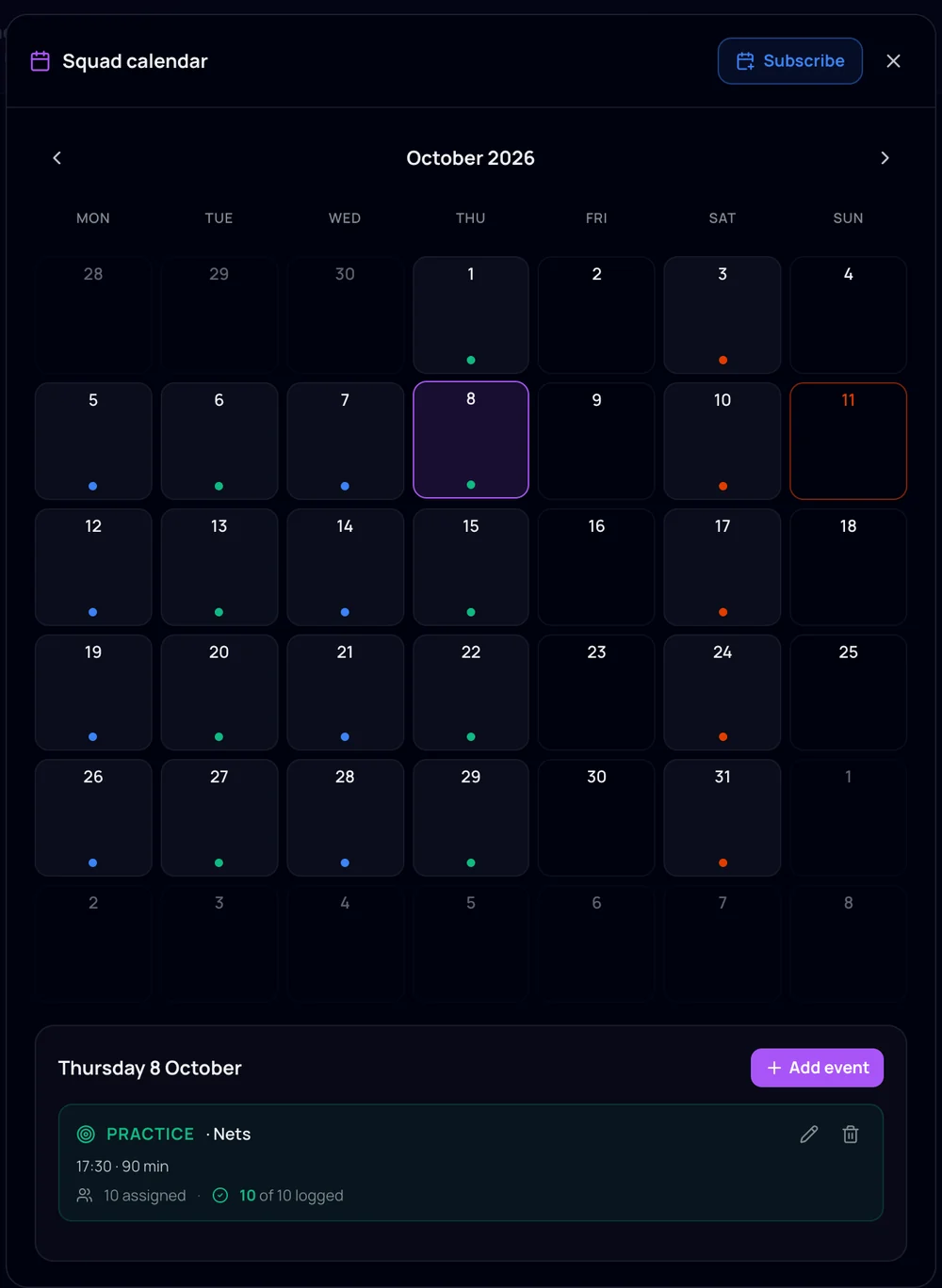
The squad calendar schedules nets, matches, gym and rest for the bowlers you pick, repeats them weekly, and shows who logged each session.
- 5
Notes to your bowlers
Leave a note on any analysis. Keep it private, or share it with the bowler and they can reply.
Screens show an example squad.